Western Digital My Net N900 Central Review

DSC05433

In a nutshell, the My Net N900 Central from Western Digital is a dual-band wireless Internet router with internal storage which allows it to double up as a media server. If you’re hoping to get some sort of network storage and the ability to serve media content without having to use a dedicated computer in your home, the My Net N900 Central will do just that for you. The My Net N900 Central is the flagship product in Western Digital’s…

Continue reading →

Home Firewall with pfSense

IMG_20120922_142526

Today’s post is about my pfSense installation. It’s not the usual pfSense setup. First of all, instead of running in a standalone PC or some sort of embedded computer, my pfSense runs in a virtual machine. Then, it has multi-WAN (i.e. Internet) links. I know most people will probably not quite have the same type of setup, but I hope some parts of it will be useful, or at least be interesting to read about. If you haven’t heard yet,…

Continue reading →

Network At Home

IMG_20121006_145135

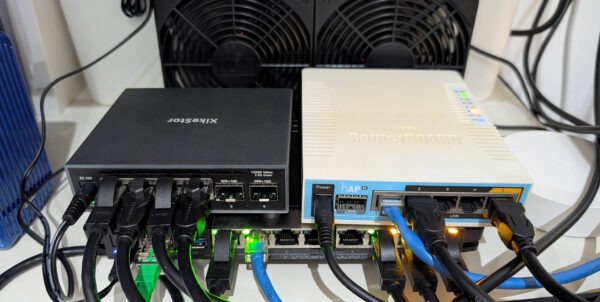
For a long time I had been planning to capitalise on the free cable broadband, albeit a slow one that barely qualifies as broadband speed these days, to provide a failover uplink for my home network. My primary network access now comes through fibre broadband. Recently, thanks to a sponsorship, I’ve got a second fibre broadband access. Pulling all of these together officially qualifies my home network as “complex”. The first thing that I’ll need is a broadband router that connects…

Continue reading →

Cisco Linksys E3200 Wi-Fi Router

IMG_20120902_173508

I bought the Cisco Linksys E3200 High Performance Dual-Band N Router recently, and it now serves as the primary wireless access point for my wireless network. Like its many other E-series siblings, the E3200 has a minimalist yet stylish look. It’s impressive specifications and performance puts it squarely among the top-end of the wireless-N broadband router product category. This Linksys E3200 replaces my previous Linksys WRT610N which, unfortunately, didn’t last very long. It somehow got stuck in a reboot loop….

Continue reading →

HomePlug Misadventures

IMG_20120822_214214

HomePlug sounds like a clever solution to home networking. It’s wired networking, but instead of having to run UTP network cables, it uses the power lines in your home. If you’re trying to install a network in your home, and you didn’t already have some sort of infrastructure in place, HomePlug is certainly one of the several options that you might consider. Sadly, I’ve found HomePlug to be somewhat unreliable, and I’d wish I had done enough research to realize…

Continue reading →

A VPN To Home

Screen Shot 2012-09-08 at 11.55.12 AM

I should know that secure network connectivity is just one part of IT security. But it seems a VPN to my home is a little bit of an overkill. I’ve now got an OpenVPN server setup at home so that I can connect back home. The two services I use out of my home is SSH, for shell access to my Linux box, and IMAPS, which I use to archive mails to that same box. Both SSH and IMAPS are…

Continue reading →

Inside Singapore’s OpenNet

If you’re a network techie like me, you will probably be very interested to know how Singapore’s OpenNet fibre-to-the-home network works. What is the technology that runs the fibre-to-the-home network? How is it related to the fibre optic networks that are already common place in enterprise and campus environments? There isn’t much engineering information you can easily find, at least not from IDA and OpenNet themselves. However, with help from Google search, I’ve managed to find a variety of information…

Continue reading →

Downloading the Internet

I’m sort of maximizing the utility of my broadband on mobile plan. After SingTel gave me a hard time defending my right to continue my pre-existing Broadband on Mobile plan, I decided that I need to show them how much bandwidth an Internet user can realistically consume in a month. They were telling me that 500MB is more than enough. It sounded like Bill Gates declaring 640KB would be enough at a time when people were having 1MB installed.

Continue reading →

Linksys WRT610N Firmware Upgrade

I just got around to upgrading the firmware on my Linksys WRT610N Simultaneous Dual-N Band Wireless Router. At this time, the latest firmware is 1.00.02.10 (also shown as 1.00.02 B10). I decided to check out the firmware updates because the last two days I was having some random network connection problems through the WRT610N. Then, last night, my MacBook simply refused to connect to the 5GHz 802.11n channel (though it might have been a problem with my MacBook afterall, because…

Continue reading →

Linksys WRT610N Dual Band Router

Last weekend, a Linksys WRT610N became the latest addition to the networking gear I have at home. It replaces my trusty old WRT54G which was starting to go bonkus after serving for many years. I have been thinking about upgrading my wireless broadband router for some time. In fact, I was considering StarHub’s free Apple Time Capsule promotion last year. It does 802.11N wireless, Gigabit Ethernet wired ports, includes 500GB or 1TB of storage and printer connection sharing.

Continue reading →